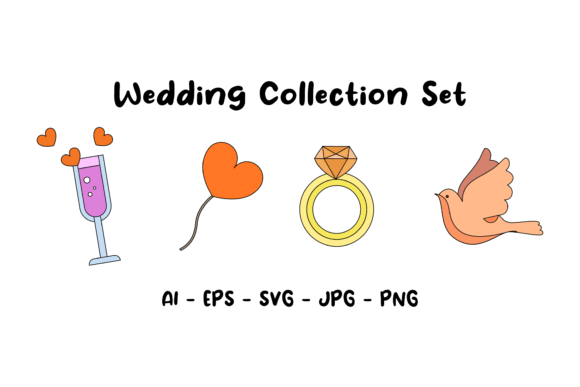
Wedding Collection Set: A Designer's Honest Review
Finding the right creative assets for a wedding-themed project can feel surprisingly difficult. You want something that feels personal and emotional, but it also needs to look professional and polished. I recently picked up the Wedding Collection Set to see if it could bridge that gap between heartfelt sentiment and clean design work. If you are a designer, a small business owner, or a DIY bride looking to create your own stationery, here is a practical look at what this bundle offers and how to actually use it.
More Than Just Pretty Graphics
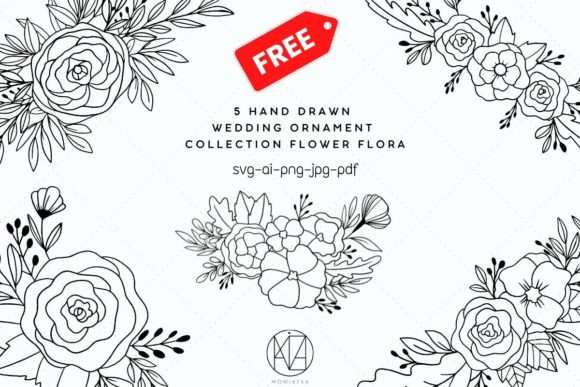
When I first opened the files, I noticed the aesthetic immediately leans into that popular "modern boho" vibe. It avoids the overly ornate, fussy look of traditional wedding clipart. Instead, the visual style feels airy, organic, and contemporary. The lines are generally clean, but there is an intentional softness to the elements—think loose florals, gentle curves, and balanced negative space. This personality makes it versatile. It doesn't scream "wedding" so loudly that it can't be used for a high-end beauty brand or a lifestyle blog header.
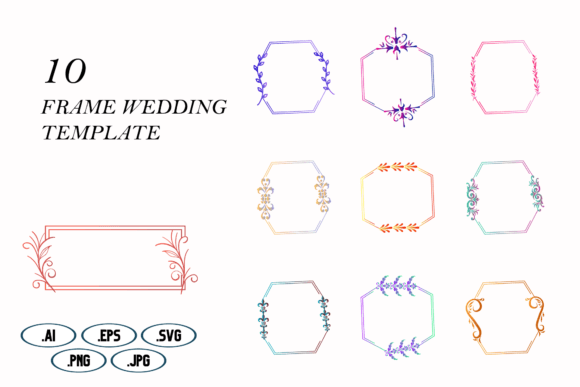
The package is built for utility. You aren't just getting a single file type that locks you into one piece of software. The Wedding Collection Set provides five distinct formats: AI, EPS, SVG, JPG, and PNG. This is a massive time-saver for anyone juggling different workflows.
- AI and EPS Files: These are your workhorses if you use Adobe Illustrator. They are fully scalable vector files, meaning you can resize elements from a tiny favicon to a massive trade show banner without losing a single pixel of quality. This is essential for professional logo design or creating custom monograms.
- SVG Files: If you work in Affinity Designer, Cricut Design Space, or even web development, the SVG is perfect. It keeps file sizes small while maintaining sharp edges.
- JPG and PNG: The high-resolution files (300 PPI at 1920x1280 pixels) are ready for immediate print or digital use. The PNG includes transparency, which is crucial for layering graphics over photos or colored backgrounds without that awkward white box around the image.
Real-World Applications for Creatives
So, you have the files. How do you actually implement them to build a strong brand identity or create compelling content? Here is where the practical value of this collection shines through.
For Wedding Stationery and Invitations
This is the obvious use case, but the execution matters. Because the canvas size is a standard widescreen ratio (1920x1280), it maps beautifully onto digital invitations and "Save the Date" emails. If you are printing, you will need to do a bit of cropping or layout work, but the high resolution ensures the display font elements and illustrations remain crisp. The set works exceptionally well for creating cohesive packaging design elements like favor tags, menu cards, and envelope liners.
Digital Marketing and Social Media
I often see small business owners struggle with creating consistent social media graphics. This collection acts as a fantastic library of design assets. You can use the floral elements as subtle background textures for Instagram stories or as framing devices for quote cards. Because the style is consistent across the set, using these assets helps build visual recognition. Your audience starts to recognize the "look" of your content before they even read the text.
Editorial and Web Design
If you are a blogger or publisher working on a editorial design piece about lifestyle, romance, or event planning, these graphics add a layer of sophistication. In web design, they can be used as decorative dividers or hero image overlays. The key is to use them to support your typography, not compete with it. A busy floral wreath works great behind a bold headline, but it will make body text unreadable.
Making It Work: Typography and Hierarchy
A graphic set is only as good as the typography paired with it. One of the common pitfalls in DIY design is mixing too many styles. The Wedding Collection Set has a distinct personality, so your font choices need to complement it rather than fight it.
Since the graphics often have a hand-drawn or organic feel, pairing them with a rigid, blocky geometric sans serif font can create too much tension. Conversely, pairing them with an overly complex script font can make the design look chaotic.
My recommendation for font pairing is to look for balance:
- The Header: Use a clean, modern serif or a legible semi-script font. This captures the elegance of the wedding theme while maintaining readability.
- The Body Copy: Stick to a neutral, humanist sans serif font. This provides a clean reading experience and ensures your information (dates, times, locations) is communicated clearly.
Visual hierarchy is about guiding the eye. Use the larger elements from the set to frame your most important information. If you are designing a flyer, the visual weight of the illustration should pull the eye toward the headline, not away from it.
Evaluating the Fit for Your Project
Before you commit to using this set for a major campaign, take a moment to evaluate the fit. Does the "modern boho" aesthetic match the brand you are building? If you are designing for a corporate law firm or a gritty streetwear brand, this probably isn't the right asset library. However, for industries like wellness, beauty, event planning, fashion, and, of course, weddings, it is a strong contender.
Also, consider the commercial licensing. This is often the boring part that people skip, but it is vital. If you are a freelance designer creating a logo for a client using these elements, you need to ensure the license allows for commercial use. Generally, assets like these are licensed for end-products (like a printed invitation), but you should always double-check the terms regarding resale of the raw files.
Finally, test the assets in your actual workflow. Don't just look at the preview image. Drop the SVG into your software, try changing the colors to match your specific palette, and see how the vectors hold up. Good design assets should be flexible.
Final Thoughts on Workflow Efficiency
The biggest value I found in the Wedding Collection Set is the time it saves. Starting a design from a blank canvas is intimidating. Having a library of high-quality, pre-made elements allows you to focus on the layout and the message rather than spending hours drawing a single flower.
Whether you are a content creator looking to elevate your feed, a bride wanting to DIY your invitations, or a designer building a brand suite for a client, this collection provides a solid foundation. It balances aesthetic appeal with practical file formats, making it a useful addition to your creative toolkit. Just remember to pair it with strong typography and a clear visual hierarchy to get the most out of your investment.